
Messenger SMS - Text Messages
SMS Messenger, Text AppCommunication
4.529.67K Reviews
- Version
- 3.0.1
- Installs
- 50.00M
- Age Rating
- Everyone
Screenshots
Our Review of Messenger SMS - Text Messages
 Analysis by Appyee
I judge an SMS app by what happens when a message matters and the phone is not in an ideal spot: poor reception, a crowded commute, or a notification that arrives while I am doing something else. Messenger SMS - Text Messages is a communication app from SMS Messenger, Text App, built around ordinary text messaging rather than a separate social network. That makes its appeal practical: it can be a home for everyday conversations, provided your needs fit the SMS format and your phone’s messaging setup.
When the network is part of the conversation
SMS is not the same as messaging through an internet-based service. Delivery depends on the mobile messaging service available to your phone, while multimedia messages can involve additional network conditions. I would not treat a quick-looking interface as a guarantee that a text has reached someone instantly. If reception is weak, a message may take longer, and the useful habit is to check its status in the conversation rather than assume that tapping send settled everything.
This distinction matters when choosing between this app and chat services such as internet messengers. Those can be convenient for group conversations, media sharing, and messages across devices, but they generally require the other person to use the same service and have suitable connectivity. SMS is more familiar for reaching people through their phone numbers. I see this app as a way to manage that kind of communication, not as a replacement for every online chat.
Where it fits into a busy day
For a realistic example, imagine arranging a pickup while walking between errands. A short text can be easier than starting a call, and a quick reply from a notification may be enough to confirm a meeting point. That small workflow is useful when I need to keep moving, though I would still open the conversation if the exchange depends on context or involves details I need to double-check.
The same approach suits people who want their regular SMS conversations in one place and prefer a straightforward interface to a feature-heavy chat platform. It is less compelling if most of your friends and family communicate through a particular internet-based messenger, or if you need a service designed for large groups, shared workspaces, or syncing conversations across several devices. Before switching, I would also check which app is set as the phone’s default SMS handler; otherwise, messages may not behave as expected across different messaging apps.
What to do when a text stalls
A practical troubleshooting routine is more useful than repeatedly tapping send. First, check whether the phone has a usable mobile signal and whether the message is still pending. For a media message, consider whether the attachment is making the exchange harder than a plain text would be. If the message is time-sensitive, a call or another communication method may be the better fallback rather than waiting on one channel.
There is also a trade-off in keeping conversations organized across apps. If you change your default SMS app, take a moment to confirm that new messages appear where you expect and that replies are going out from the right conversation. This is especially worth doing before relying on it for reminders, pickup arrangements, or other messages where missing a reply would cause confusion. Simple checks at setup can prevent the frustrating feeling that a text vanished when the real issue is that you were looking in a different inbox.
Data, attachments, and everyday choices
Text-only messages are a sensible choice when you want to keep an exchange lightweight. Photos, videos, and other media can be more demanding than a short note, and delivery may depend on the phone’s connection and messaging configuration. If an image is not urgent, I would wait until conditions are better or use another channel that both people already rely on. That is not a flaw unique to this app; it is part of choosing SMS and multimedia messaging for the job.
It is also worth separating the app’s cost from any costs attached to the messaging service or mobile plan. The app is free to install, with in-app purchases ranging from $0.99 to $59.99 per item, but that does not tell you what your carrier charges for texts or media. I would check my plan before sending lots of picture messages, especially while traveling. The app itself is rated for Everyone, and its current version is 2.9.4, but those details do not change how network coverage shapes delivery.
Who is likely to appreciate it
I would consider it if I primarily need an SMS inbox, value a simple way to handle conversations, and want some control over how the app looks and alerts me. Its overall audience is substantial: it has a 4.7 average from around 361,000 ratings and over 50 million installs. Those figures suggest that many people have tried it, though my choice would still depend on whether its everyday SMS role matches how I communicate.
I would skip it as my main choice if I need guaranteed delivery regardless of coverage, a dedicated multi-device chat history, or collaboration features beyond standard texting. I would also avoid assuming that privacy or reliability claims remove the need to think about the route a message takes. For sensitive conversations, I choose a communication service whose privacy and delivery model I understand, rather than relying on an app label alone.
Hey there! So, I recently got my hands on Messenger SMS - Text Messages, and let me tell you, it's been quite the experience. If you're like me and always on the hunt for a solid messaging app that'll keep all your texts in one place, you might want to check this out. Let's dive into what makes this app tick.
First Impressions and Features
Right off the bat, Messenger SMS - Text Messages greets you with a clean and user-friendly interface. It's straightforward, so even if you're not super tech-savvy, you'll feel at home. The app focuses on simplicity, which, in my opinion, is a breath of fresh air. No clutter, just a neat way to manage your messages.
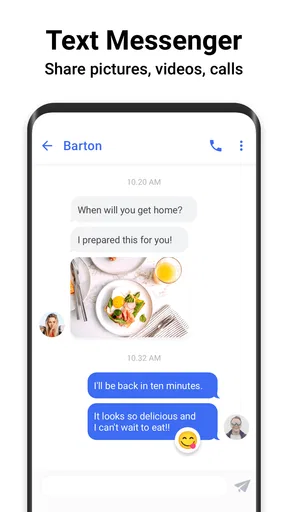
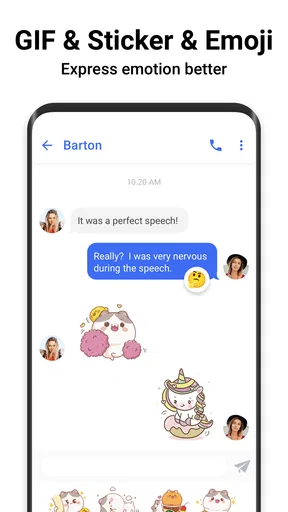
One of the standout features is its ability to integrate with your existing SMS service. It seamlessly pulls in all your past conversations, so you don't have to worry about missing any older messages. Plus, it supports multimedia messages. So, whether you're sending photos, videos, or voice notes, it handles it all like a champ.
Customization Options
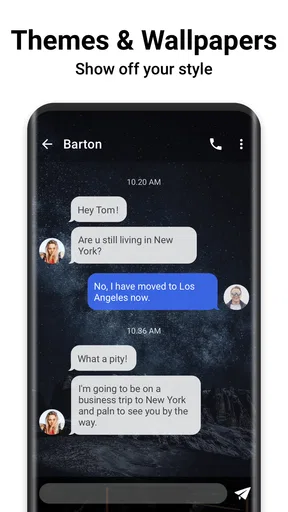
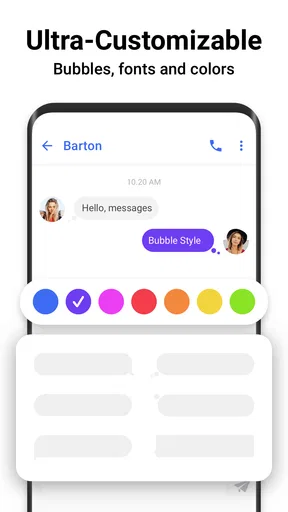
Now, let's talk about personalization. I'm one of those people who loves tweaking my apps to match my style, and the app doesn’t disappoint. You can choose from various themes and colors, making the app truly yours. It's like having a messaging app that fits your personality, and who doesn’t love that?
Moreover, the app allows you to customize notifications. Whether you want a soft nudge or a loud alert, the choice is yours. You can even set different tones for different contacts, so you'll know who’s texting without looking.
Performance and Reliability
Performance-wise, this app is snappy. I haven't experienced any lag or crashes, which is crucial for a messaging app. You want something reliable, especially when you're in the middle of an important conversation. Whether you're on Wi-Fi or cellular data, the messages go through swiftly.
Security is another aspect where this app shines. It uses end-to-end encryption, ensuring that your texts remain private and secure. In today's world, where privacy is a major concern, this feature adds a layer of comfort.
Extra Features Worth Mentioning
Oh, and did I mention the "Quick Reply" feature? It's pretty handy when you're in a hurry and need to shoot back a response without opening the full app. Just tap the notification, type your reply, and you're done. It’s those little things that make a big difference.
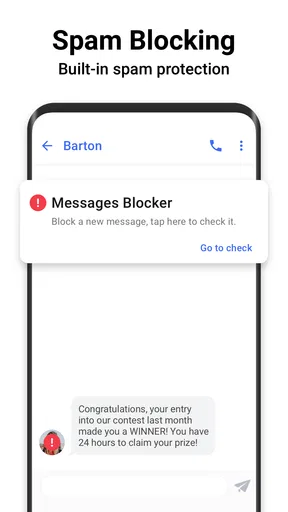
There's also a cool "Block" feature that lets you stop those annoying spam texts. Just add the number to your block list, and voila, they're gone from your life. It's like having a personal bouncer for your inbox.
Final Thoughts
Wrapping it up, the app is a solid choice if you’re looking for a reliable, customizable, and secure messaging app. It checks all the boxes for me and then some. Whether you need it for personal use or business, it adapts well to different needs.
So, if you’re tired of your old messaging app and want to try something fresh, give this one a go. You might just find it’s the perfect fit for your communication needs. Happy texting!
Privacy and Permissions
See what permissions an app requests and how it handles your data.
- Device & app history
- retrieve running apps, read sensitive log data
- Identity
- find accounts on the device, read your own contact card
- Contacts
- find accounts on the device, read your contacts, modify your contacts
- SMS
- read your text messages (SMS or MMS), receive text messages (MMS), receive text messages (SMS), receive text messages (WAP), send SMS messages, edit your text messages (SMS or MMS)
- Phone
- directly call phone numbers, read phone status and identity
- Photos/Media/Files
- read the contents of your USB storage, modify or delete the contents of your USB storage
- Storage
- read the contents of your USB storage, modify or delete the contents of your USB storage
- Camera
- take pictures and videos
- Microphone
- record audio
- Wi-Fi connection information
- view Wi-Fi connections
- Device ID & call information
- read phone status and identity
- Other
- view network connections, pair with Bluetooth devices, access Bluetooth settings, change network connectivity, connect and disconnect from Wi-Fi, disable your screen lock, control flashlight, full network access, close other apps, change your audio settings, control Near Field Communication, run at startup, reorder running apps, draw over other apps, control vibration, prevent device from sleeping, modify system settings, install shortcuts, uninstall shortcuts
Verdict
Strengths of Messenger SMS - Text Messages
- User-friendly interface for easy navigation.
- Supports multimedia messaging with ease.
- Customizable themes and chat backgrounds.
- Offers quick reply options for efficiency.
- Syncs seamlessly with contact lists.
Limitations of Messenger SMS - Text Messages
- Limited integration with other apps.
- Some features require in-app purchases.
- Occasional notification delays.
- Lacks end-to-end encryption.
- Can consume significant battery life.
Similar Picks in This Category
View All
Google Messages
Google LLC4.6

Gmail
Google LLC4.1

Google Meet
Google LLC4.4

Google Chrome
Google LLC4.1

WhatsApp Messenger
WhatsApp LLC4.6

Carrier Services
Google LLC4.2
Frequently Asked Questions
What features does Messenger SMS - Text Messages offer?
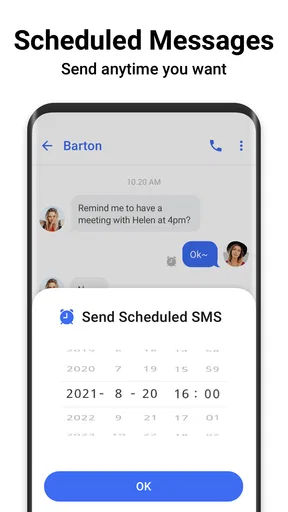
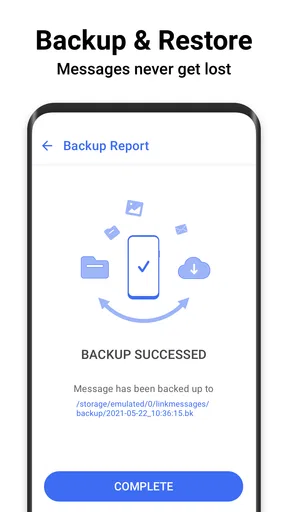
Messenger SMS - Text Messages provides a comprehensive messaging experience. It supports SMS and MMS, allowing for text, image, and video sharing. The app includes customizable themes, group messaging, scheduled messages, and quick reply options. Users can also enjoy advanced search functions and message backup capabilities.
Is Messenger SMS - Text Messages free to use?
Yes, Messenger SMS - Text Messages is free to download and use. However, it may offer in-app purchases or ads. These purchases typically enhance functionality or remove advertisements, providing a more streamlined user experience. Always check the app details in the store for specific pricing information.
How secure is Messenger SMS - Text Messages?
Messenger SMS - Text Messages emphasizes user privacy and security. It uses end-to-end encryption for messages, ensuring that your conversations remain confidential. Additionally, the app provides options for password protection and privacy settings to further secure your messaging data.
Can I customize the appearance of Messenger SMS - Text Messages?
Absolutely! Messenger SMS - Text Messages offers extensive customization options. Users can choose from various themes, colors, and fonts to personalize the app. You can also customize notification sounds and chat backgrounds, allowing for a tailored messaging experience that suits your style.
Does Messenger SMS - Text Messages support group messaging?
Yes, the app supports group messaging, making it easy to communicate with multiple contacts at once. You can create groups, add or remove participants, and manage group settings. This feature is particularly useful for coordinating with family, friends, or colleagues efficiently.
